30 Basic Puzzle Games For Mobile - Beginner-Friendly Picks
Need basic puzzle games for mobile that won’t waste your time? Use the quick selector, check offline play, and compare 30 easy picks with pros and cons.
Mar 07, 2026104.7K Shares1.5M Views

30 Basic Puzzle Games For Mobile: Free, Offline & Premium
Too many puzzle games. Too many ads. Too many “simple” apps that turn into a grind after five minutes.
I’m writing this for the moment when you just want a clean, beginner-friendly puzzle you can understand fast, enjoy in short sessions, and keep coming back to without feeling manipulated.
I build “no regret” shortlists like this by focusing on the three things beginners feel immediately: clarity, control, and calm.
Answer box: the fastest way to pick a beginner puzzle
- Pick a mechanic you already understand(match-3, word, numbers, sliding blocks, or sorting).
- Choose a session length(2-5 minutes vs 10-20 minutes).
- Decide your friction tolerance(ads, energy timers, popups).
- Prefer games labeled “offline” if you play on commutes or while traveling.
- Install from official app stores and keep Play Protect on for Android.
Basic Puzzle Games For Mobile: What “basic” Really Means
You’re about to get games you can learn quickly, not games that assume you already love puzzles.
A “basic” mobile puzzle game usually means:
- One core action (swap, tap, drag, connect, place).
- Early wins (the first 3-10 levels teach you by doing).
- A visible goal (clear tiles, fill the grid, match pairs, finish the picture).
What “basic” does notmean: “no thinking.” The best beginner games feel simple in your hands, then quietly get smarter as you do.
Clear definitions (quotable)
- Basic puzzle games for mobileare easy-to-learn games with one main mechanic and short levels that build skill without heavy tutorials.
- Offline puzzle gameslet you play core levels without a connection after the initial download, though ads or events may still need internet.
- Free-to-playusually means the download is free, with optional in-app purchases and often ads.
One trust note: many apps market “brain training.” Some cognitive activities can improve specific skills, but strong evidence that brain training reduces dementia risk is not established.
Next, I’ll help you choose your “starter lane” so you download one game you actually keep.
Basic Puzzle Games For Mobile: Pick Your Puzzle Style In 3 Steps
This section helps you match your personality and your patience to the right puzzle type in under a minute.
Step 1: Choose Your Core Action
- Match and clear: swap or connect colors (satisfying, fast feedback).
- Place and plan: fit shapes into a grid (calm, strategic).
- Numbers and logic: Sudoku, nonograms, clean rules.
- Physics and tinkering: draw or cut to solve.
- Words: spell and search.
Step 2: Choose Your Session Length
- Snackable(2-5 minutes): 1010!, Unblock Me, Mahjong Solitaire, sort puzzles.
- Settling in(10-20 minutes): Jigsaw, story puzzles like Monument Valley or The Room.
Step 3: Choose Your Friction Tolerance (ads, Popups, Paywalls)
Use this quick selector:
| If you want… | Start with… |
| Calm and low friction | Paid premium puzzles like Monument Valley, Zenge, Threes!, The Room |
| Free and endlessly replayable | Sudoku.com, Nonogram.com, Wordscapes |
| A simple “feel smart” win | Flow Free, Unblock Me, 2048 |
| A cozy, sensory unwind | I Love Hue, Jigsaw Puzzles |
Now let’s make sure the app you pick stays fun after day two.
The No-regret Checklist For Basic Puzzle Games For Mobile
This section is your safety rail: it prevents the classic beginner mistake of downloading a “puzzle” that’s really an ad carousel.
Before you install
- Check the store labels: “Contains ads” and “In-app purchases” are upfront signals.
- Scan permissions with common sense: if a simple puzzle asks for access it doesn’t need, skip it. CISAexplains how app permissions can put privacy at risk.
- Stick to official stores and protections: Play Protect can scan apps and help block harmful installs, including sideloaded ones.
After you install (2-minute friction audit)
- Put it in airplane modeand see what breaks (some games still work, ads stop, events pause).
- Play 5 levelsand count interruptions: if you feel annoyed twice, uninstall guilt-free.
- Look for one honest upgrade path: “remove ads” or “full unlock” is usually cleaner than layered subscriptions.
Takeaway: you’re not “bad at puzzles,” you’re just allergic to bad design. Next comes the curated list.
30 Basic Puzzle Games For Mobile (organized By “why You’ll Like It”)
I’m keeping every entry beginner-focused, with the exact same template so you can scan fast.
1. Flow Free

Flow Free is the purest form of “one rule, infinite variations.” The first levels feel like doodling with logic, then the boards quietly teach you planning and restraint. It’s the kind of game that makes waiting rooms feel shorter. When it clicks, it feels tidy in your brain.
- Platforms:Android, iOS.
- Price:Free, ads and optional purchases (Data as of March 2026).
- Offline Play:Often yes for core levels after download, ads and extras may need internet.
- How to Play:Connect matching colored dots with pipes without crossing lines, until the grid is full.
- Why It’s Perfect for Beginners:One mechanic, instant feedback, and you can stop anytime.
- Pros:Very clear rules, quick sessions
- Cons:Ads can interrupt, later boards reward patience
2. Two Dots
Two Dots feels like a polished “connect and clear” puzzle with a gentle learning curve. Early levels teach you the rhythm quickly, then add new goals in small, digestible steps. Making squares for bigger clears is a satisfying beginner “power move.” It’s easy to enjoy in short sessions.
- Platforms:Android, iOS.
- Price:Free, ads and optional purchases (Data as of March 2026).
- Offline Play:Many levels can work offline, events and syncing may need internet.
- How to Play:Connect same-colored dots in lines, squares trigger stronger clears.
- Why It’s Perfect for Beginners:Familiar controls, clear goals, and a soft ramp that rarely overwhelms early.
- Pros:Polished feel, lots of content
- Cons:Events can add clutter, power-ups can tempt spending
3. Candy Crush Saga

Candy Crush is the match-3 template most people recognize instantly. The early levels are designed to teach combos without requiring strategy jargon. When you trigger special candies, it delivers that big, clean “board sweep” dopamine hit. It can also become long-term if you like endless progression.
- Platforms:Android, iOS.
- Price:Free, ads and optional purchases (Data as of March 2026).
- Offline Play:Often partial, some modes and features may need internet.
- How to Play:Swap adjacent candies to match 3+, complete level goals in limited moves.
- Why It’s Perfect for Beginners:Simple swaps, obvious patterns, and quick early wins.
- Pros:Easy to start, satisfying combos
- Cons:Can feel grindy later, monetization pressure can rise
4. Best Fiends
Best Fiends wraps match mechanics in a light character progression loop. It’s approachable because the objectives are clear and the presentation is friendly. The puzzle layer stays simple early, while the “team” layer gives you a reason to keep going. It works well as a casual daily puzzle.
- Platforms:Android, iOS.
- Price:Free, ads and optional purchases (Data as of March 2026).
- Offline Play:Often partial, some features and ads may require internet.
- How to Play:Match tiles to power characters, clear obstacles, and meet level objectives.
- Why It’s Perfect for Beginners:Familiar matching, forgiving early pacing, and clear guidance.
- Pros:Strong progression, lots of levels
- Cons:Ads and offers can distract, difficulty can spike
5. Dots: A Game About Connecting
Dots is minimalist and rhythmic. The whole game is basically “connect, clear, repeat,” which makes it great when your brain is tired. It’s more about flow than deep strategy, and that is the point. If you want calm, this is a strong pick.
- Platforms:iOS (widely available), Android availability can vary by region and time.
- Price:Free, optional purchases may exist depending on version (Data as of March 2026).
- Offline Play:Often partial, some modes or syncing may require internet.
- How to Play:Connect adjacent dots of the same color, make squares for bigger clears.
- Why It’s Perfect for Beginners:One simple gesture, immediate feedback, no heavy tutorial.
- Pros:Clean design, quick rounds
- Cons:Limited depth for some players, availability can change
6. 2048 Game
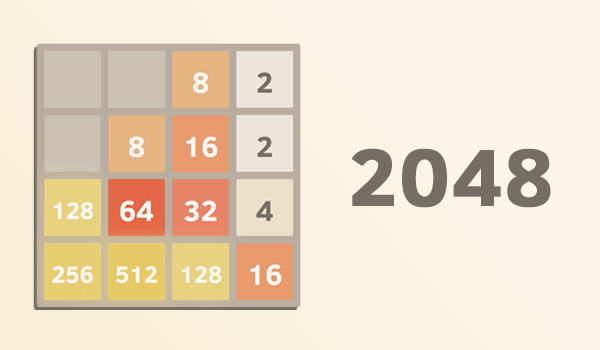
2048 is the tiny-rule number puzzle that teaches big lessons fast. You can learn it in 20 seconds, then spend weeks improving your instincts. Every swipe is a choice about space and future merges. It’s a great “thinking without reading” option.
- Platforms:Android, iOS (many versions exist).
- Price:Usually free, ads and optional purchases vary by version (Data as of March 2026).
- Offline Play:Usually yes for core play after install.
- How to Play:Swipe to slide tiles, equal numbers merge into a higher number.
- Why It’s Perfect for Beginners:One board, one action, clear cause and effect.
- Pros:Quick brainy sessions, easy to learn
- Cons:Can feel repetitive, one mistake can snowball
7. Threes!
Threes! is a premium-feeling number puzzle with surprising depth. It’s gentle and playful, but it rewards real planning. The presentation is warm, and the rules are still beginner-friendly. If you want fewer interruptions, premium games often feel calmer.
- Platforms:Android, iOS.
- Price:Paid, one-time purchase in most regions (Data as of March 2026).
- Offline Play:Typically yes for core play after download.
- How to Play:Slide tiles, combine 1 and 2 to make 3, then merge same numbers.
- Why It’s Perfect for Beginners:Clear rules, friendly pacing, and a forgiving early game.
- Pros:Premium feel, deep strategy from simple rules
- Cons:Paid upfront, deceptively challenging
8. Triple Town
Triple Town is a cozy merge puzzle where your board turns into a little evolving world. It’s satisfying because every merge upgrades something, so progress feels visible. The decisions are simple, but the board management keeps it interesting. It’s a great pick if you like “build and optimize” puzzles.
- Platforms:iOS (commonly available), Android availability may vary over time and region.
- Price:Often free with optional purchases on iOS (Data as of March 2026).
- Offline Play:Often partial, some features may require internet.
- How to Play:Match three of the same item to upgrade it, avoid clogging the board.
- Why It’s Perfect for Beginners:“Match three” logic is easy, and the rewards feel immediate.
- Pros:Cozy strategy, satisfying upgrades
- Cons:Platform availability can vary, some versions use energy systems
9. Cut The Rope
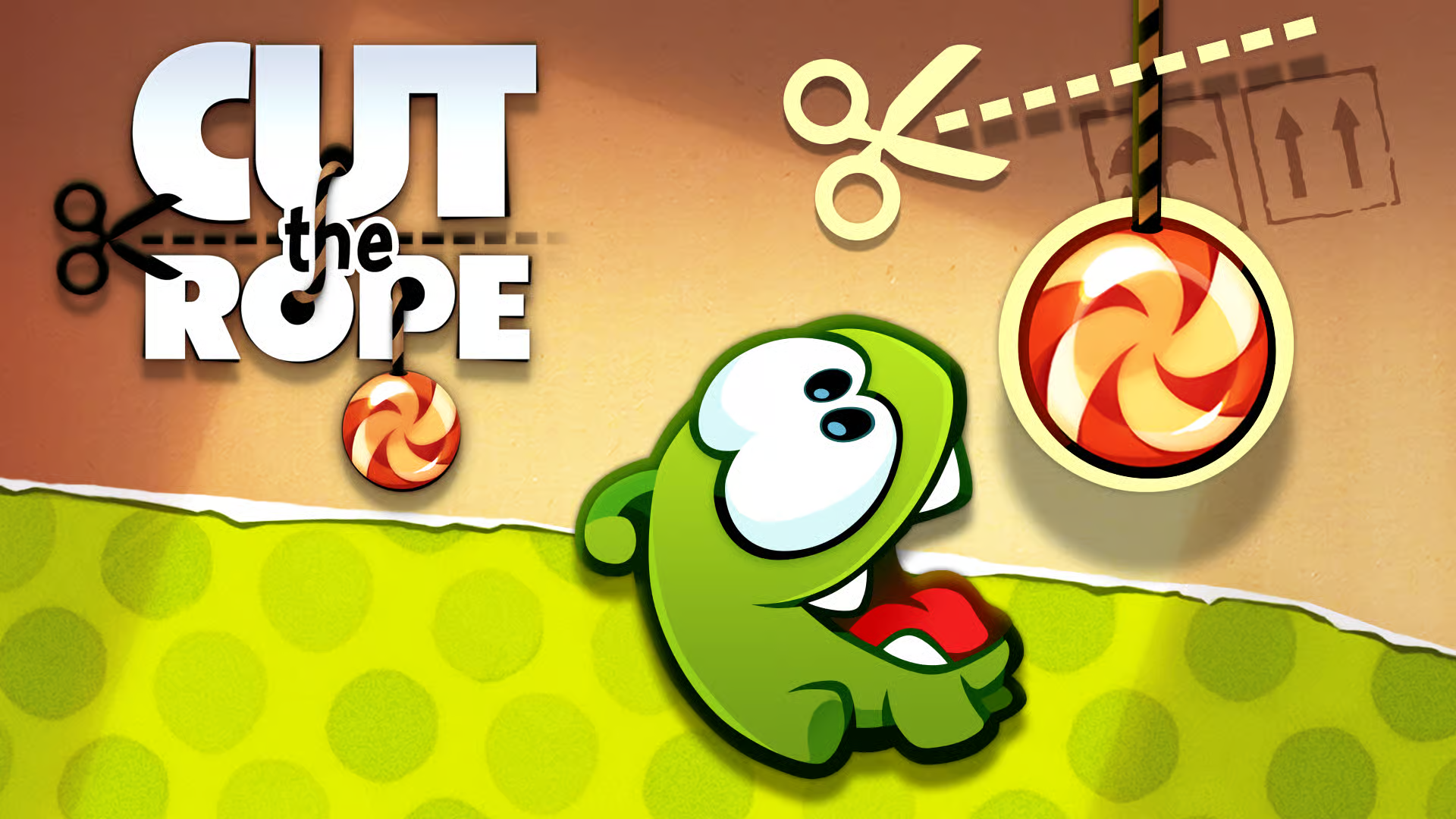
Cut the Rope is physics puzzling that feels playful instead of stressful. You snip ropes and use simple tools to guide candy to the character. It teaches by experimentation, which is ideal for beginners. When you solve a level, it feels like you outsmarted gravity.
- Platforms:Android, iOS.
- Price:Often free or low-cost depending on version, ads and optional purchases may apply (Data as of March 2026).
- Offline Play:Often yes for core levels after download.
- How to Play:Cut ropes and use objects like bubbles to deliver candy to the target.
- Why It’s Perfect for Beginners:One new idea per level, quick retries, playful feedback.
- Pros:Charming, strong level design
- Cons:Ads can be heavy in some versions, difficulty spikes later
10. Unblock Me
Unblock Me is pure sliding-block logic: move pieces until the path clears. It’s simple, readable, and feels like a mental stretch without pressure. Beginners love it because the goal is always obvious. It’s also perfect for “one more puzzle” moments.
- Platforms:Android, iOS.
- Price:Free, ads and optional purchases (Data as of March 2026).
- Offline Play:Often yes for core puzzles after download.
- How to Play:Slide blocks to clear a route so the target block can exit.
- Why It’s Perfect for Beginners:One objective, no timers, puzzles teach constraints naturally.
- Pros:Focused gameplay, great for short sessions
- Cons:Puzzles can feel similar, ads may interrupt
11. Brain It On!
Brain It On! is a doodle-and-solve physics puzzle. You draw shapes to knock, balance, or push objects into the right place. It’s fun because “weird” solutions often work. Beginners get to feel clever without needing perfect technique.
- Platforms:Android, iOS.
- Price:Free, ads and optional purchases (Data as of March 2026).
- Offline Play:Many puzzles work offline, community features may not.
- How to Play:Draw lines and shapes to interact with objects and reach the goal.
- Why It’s Perfect for Beginners:Encourages experimentation and multiple solutions.
- Pros:Creative, satisfying “aha” moments
- Cons:Some levels feel fiddly, quality varies by update
12. Sudoku.com
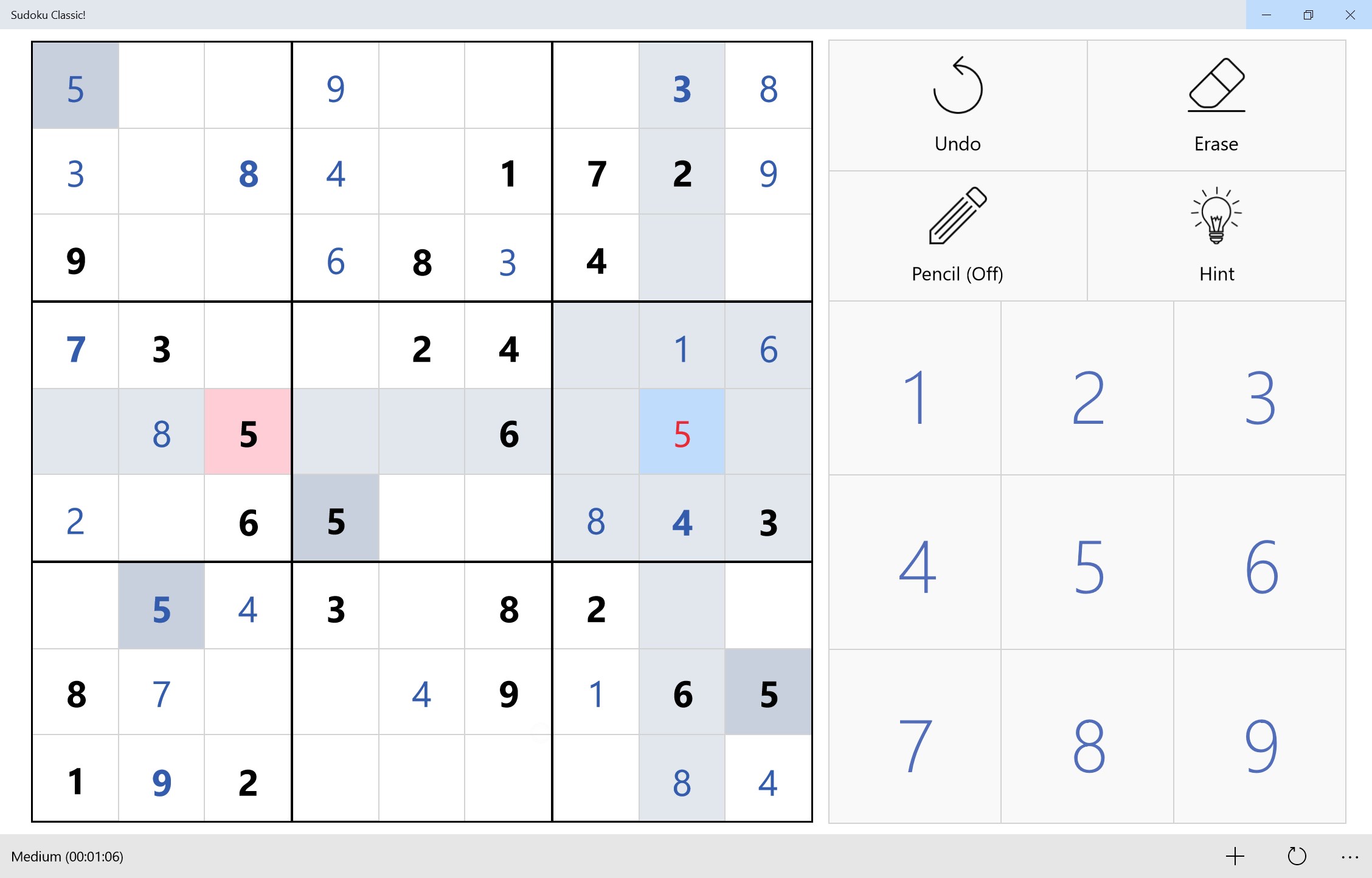
Sudoku.comis the straightforward “classic Sudoku on mobile” option. It’s clean, structured, and easy to practice daily. Difficulty tiers make it friendly even if you’re new. It’s great when you want a quiet, orderly puzzle.
- Platforms:Android, iOS.
- Price:Free, ads and optional purchases (Data as of March 2026).
- Offline Play:Often yes for core puzzles after download.
- How to Play:Fill rows, columns, and 3x3 boxes with 1-9 without repeats. If Sudoku is new to you, start with how to solve sudoku puzzles.
- Why It’s Perfect for Beginners:Familiar rules, adjustable difficulty, and built-in hints.
- Pros:Great practice loop, easy difficulty scaling
- Cons:Ads can interrupt, some features push subscriptions
13. Nonogram.com
Nonogram.comis logic plus a little art reveal payoff. You solve a grid using numbers, then a picture appears. It’s slower and calmer than match puzzles, which many beginners prefer. It’s also satisfying because you finish with something tangible.
- Platforms:Android, iOS.
- Price:Free, ads and optional purchases (Data as of March 2026).
- Offline Play:Often yes for core puzzles after download.
- How to Play:Use row and column numbers to mark filled squares and reveal pixel art.
- Why It’s Perfect for Beginners:Clear rules, step-by-step logic, rewarding completion.
- Pros:Calm logic, great sense of finish
- Cons:Can feel slow at first, ads and events can distract
14. Jigsaw Puzzles (mobile)
Mobile jigsaw puzzlesare comfort food for your attention. You can choose the piece count and make it truly beginner-friendly. There’s no “wrong strategy,” only steady progress. It’s ideal for winding down before bed.
- Platforms:Android, iOS.
- Price:Free, ads and optional purchases (Data as of March 2026).
- Offline Play:Often yes once puzzles are downloaded, some packs may require internet.
- How to Play:Drag and place pieces until the image is complete, adjust difficulty via piece count.
- Why It’s Perfect for Beginners:No time pressure, adjustable difficulty, satisfying visual progress.
- Pros:Very relaxing, easy difficulty control
- Cons:Ads can interrupt, some packs may be locked
15. Wordscapes

Wordscapes is a gentle word puzzle that feels like a friendly crossword. You swipe letters to fill a grid, and early levels give plenty of obvious wins. The visuals are calm, and the pace is forgiving. It’s great for beginners who like language puzzles.
- Platforms:Android, iOS.
- Price:Free, ads and optional purchases (Data as of March 2026).
- Offline Play:Often partial, some features may need internet.
- How to Play:Swipe letters to form words and complete the grid.
- Why It’s Perfect for Beginners:Clear goals, short puzzles, easy-to-understand mechanics.
- Pros:Accessible, calm presentation
- Cons:Ads can be frequent, repetition over time
16. Word Search (mobile App)
Word search apps are as basic as it gets, in a good way. You always know what you’re looking for, which removes stress. It’s pure scanning and pattern spotting. The only catch is quality varies a lot between apps. For a quick start, I keep a browser-ready list of beginner friendly word search puzzles.
- Platforms:Android, iOS (varies by app).
- Price:Usually free, ads and optional purchases vary (Data as of March 2026).
- Offline Play:Many versions work offline after initial download.
- How to Play:Find listed words in a grid and drag to highlight them.
- Why It’s Perfect for Beginners:No complex rules, instant start, easy stopping points.
- Pros:Extremely accessible, great for short breaks
- Cons:Many ad-heavy clones, quality varies widely
17. Blockudoku
Blockudoku combines block placement with a Sudoku-like clearing pattern. It plays simply, but it feels more strategic than a basic block puzzle. Beginners like the “clear lines and clear boxes” double reward. It’s a great bridge between casual and thoughtful.
- Platforms:Android, iOS.
- Price:Free, ads and optional purchases (Data as of March 2026).
- Offline Play:Often yes for core play, ads may require internet.
- How to Play:Place blocks on a 9x9 grid, clear rows, columns, and 3x3 boxes.
- Why It’s Perfect for Beginners:Easy actions, clear goals, satisfying clears.
- Pros:Satisfying loop, strategic without complexity
- Cons:Ads and offers can interrupt, can feel luck-based late game
18. Block Puzzle (classic)
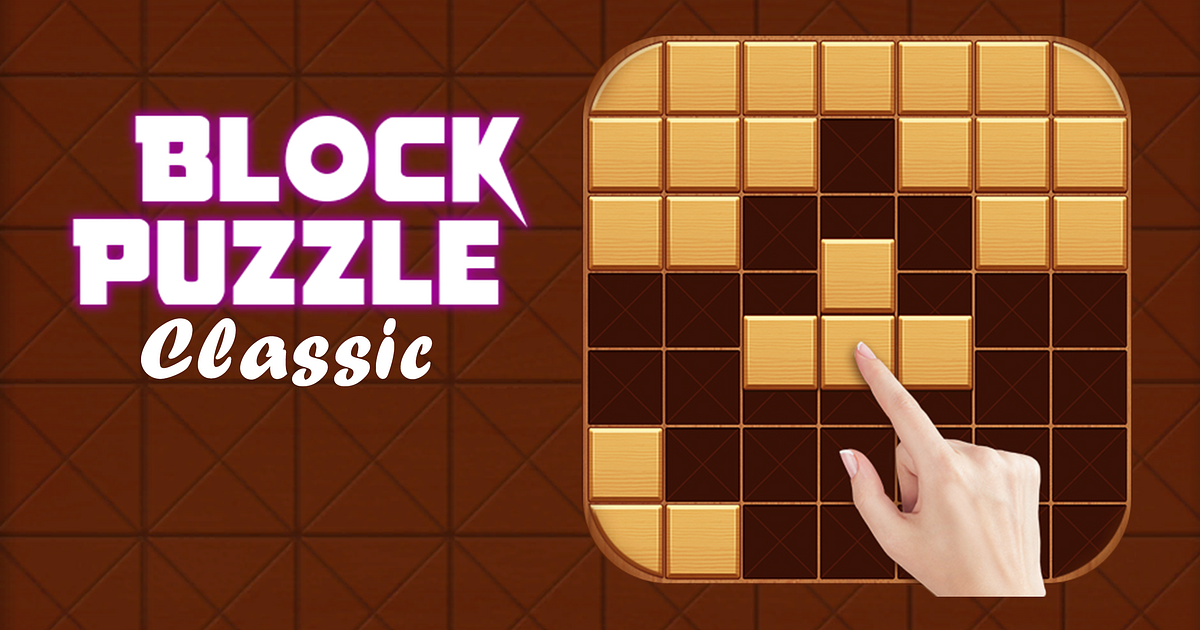
Classic block puzzle is the calm, no-story, no-reading option. You place shapes and clear lines, then try to keep space open. It’s beginner-friendly because the rules never change. Just make sure you choose a reputable version because clones are everywhere.
- Platforms:Android, iOS (many versions exist).
- Price:Usually free, ads and optional purchases vary (Data as of March 2026).
- Offline Play:Many versions work offline after install.
- How to Play:Drag pieces onto the grid, complete lines to clear space.
- Why It’s Perfect for Beginners:No learning curve beyond placement, easy to play one-handed.
- Pros:Very simple, relaxing
- Cons:Quality varies, ads can be frequent
19. Water Sort Puzzle
Water sort puzzles are visual organization at its most satisfying. The rules are crystal clear, and progress looks like calm. It’s a perfect beginner game if you like slow, steady improvement. The main risk is repetition if you play for hours.
- Platforms:Android, iOS (many versions exist).
- Price:Usually free, ads and optional purchases vary (Data as of March 2026).
- Offline Play:Often yes for core levels, ads may need internet.
- How to Play:Pour liquid between containers, stack colors until each container is a single color.
- Why It’s Perfect for Beginners:One rule set, no timers, satisfying visual payoff.
- Pros:Very relaxing, easy to understand
- Cons:Can get repetitive, ads may interrupt flow
20. Ball Sort Puzzle
Ball sort is the same “organize the chaos” satisfaction, but with marbles and tubes. It feels simple, then gradually asks for more planning. Beginners like it because mistakes are easy to understand. It’s great for one-handed play.
- Platforms:Android, iOS (many versions exist).
- Price:Usually free, ads and optional purchases vary (Data as of March 2026).
- Offline Play:Often yes for core levels after download.
- How to Play:Move the top ball into another tube if it matches or the tube is empty.
- Why It’s Perfect for Beginners:Clear constraints, simple moves, low stress.
- Pros:Satisfying, easy one-handed control
- Cons:Can get stuck, ad breaks can be annoying
21. Mahjong Solitaire
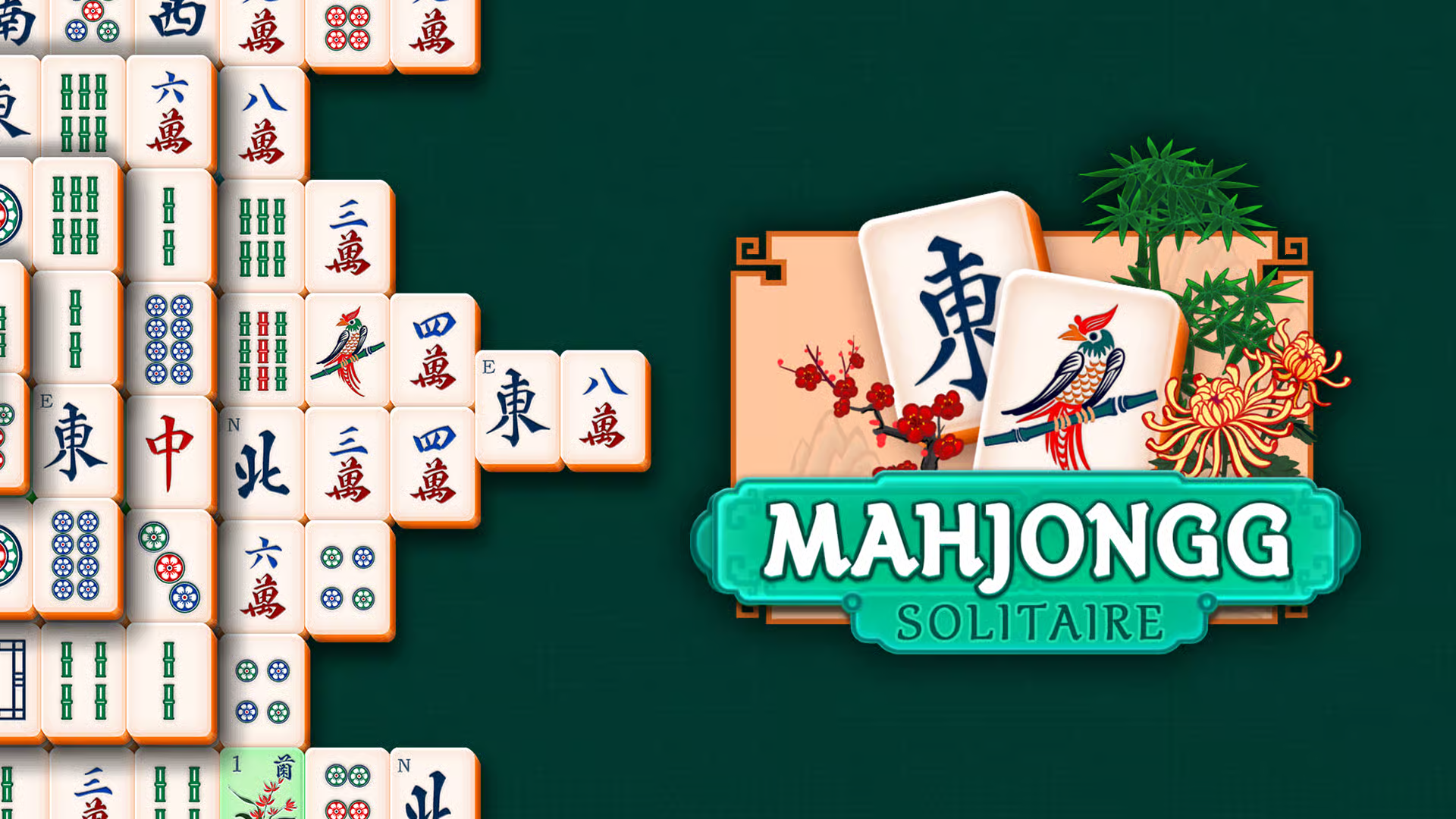
Mahjong Solitaire is a calm matching puzzle with a simple rule: match open pairs. It’s beginner-friendly because the board tells you what’s available. Sessions can be short, or you can settle into a longer clear. It’s especially good if you like visual scanning puzzles.
- Platforms:Android, iOS.
- Price:Usually free, ads and optional purchases vary by version (Data as of March 2026).
- Offline Play:Often partial, events and downloads may need internet.
- How to Play:Match identical free tiles until the board clears.
- Why It’s Perfect for Beginners:Simple matching, hints often available, gentle pace.
- Pros:Relaxing, easy to scan
- Cons:Some layouts feel luck-based, ads vary by version
22. I Love Hue
I Love Hue is a color puzzle that feels like organizing a rainbow. You’re restoring smooth gradients, which is quietly satisfying. It’s beginner-friendly because there’s no timer and no complicated rules. If you like “make it look right” puzzles, this is a standout.
- Platforms:Android, iOS.
- Price:Free, ads and optional purchases (Data as of March 2026).
- Offline Play:Often yes for core puzzles after download.
- How to Play:Swap tiles to restore a smooth color spectrum across the grid.
- Why It’s Perfect for Beginners:No text, no pressure, and you can play purely by feel.
- Pros:Very calming, beautiful payoff
- Cons:Harder for some color-vision differences, later levels get subtle
23. 1010! Game
1010! is a clean “place pieces, clear lines” puzzle with no story attached. The joy comes from keeping the board open and setting up clears. It’s beginner-friendly because the rules never change. It’s also great for short breaks.
- Platforms:Android, iOS.
- Price:Free, ads and optional purchases (Data as of March 2026).
- Offline Play:Often yes for core play, ads may require internet.
- How to Play:Drag pieces onto a 10x10 grid, clear rows and columns to make space.
- Why It’s Perfect for Beginners:Simple actions, obvious board state, quick restarts.
- Pros:Great short sessions, satisfying clears
- Cons:Many similar clones exist, ads can interrupt
24. Monument Valley
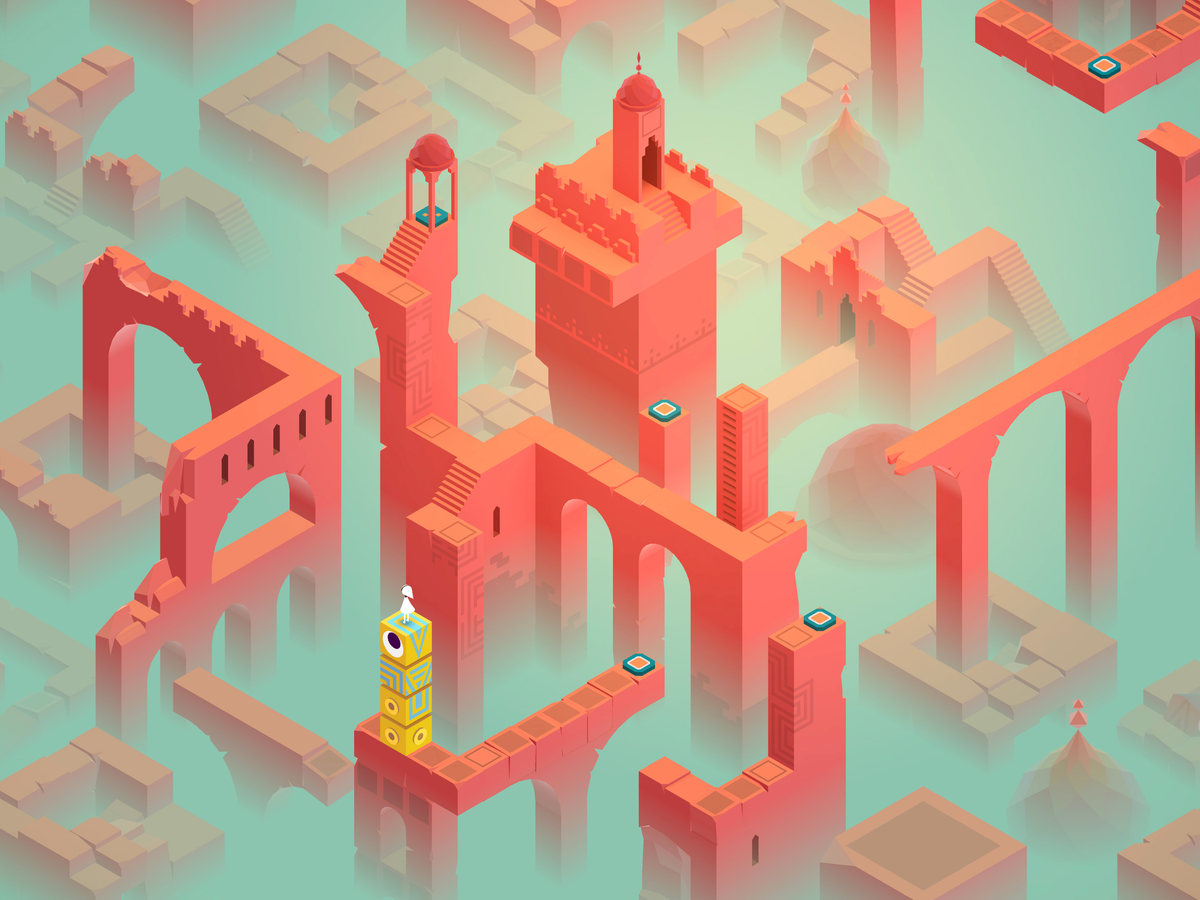
Monument Valley is a premium puzzle that feels like playable art. You guide a character through impossible geometry by rotating and shifting architecture. It teaches through touch and curiosity, not long instructions. For beginners, it’s one of the gentlest “wow” experiences you can buy.
- Platforms:Android, iOS.
- Price:Paid, one-time purchase in most regions (Data as of March 2026).
- Offline Play:Often yes for core play after download.
- How to Play:Tap to move, rotate structures to reveal hidden paths.
- Why It’s Perfect for Beginners:No twitch skills required, clear visual clues guide you.
- Pros:Low-friction premium experience, memorable design
- Cons:Paid upfront, shorter than endless free games
25. Monument Valley 2
Monument Valley 2 keeps the same calm, optical-illusion puzzle style with new mechanics. It’s still beginner-friendly, but it adds more variety and interaction. The pacing stays gentle, and every chapter feels crafted. It’s a great premium follow-up.
- Platforms:Android, iOS.
- Price:Paid, one-time purchase in most regions (Data as of March 2026).
- Offline Play:Often yes for core play after download.
- How to Play:Manipulate architecture to guide characters through shifting paths.
- Why It’s Perfect for Beginners:Gentle difficulty ramp, clear visual puzzles, calm pace.
- Pros:Beautiful, smooth learning curve
- Cons:Paid upfront, not endless content
26. The Room
The Room is a tactile “mystery box” puzzle that makes you feel like a careful investigator. You rotate objects, find hidden mechanisms, and solve layered riddles. It’s beginner-friendly because the world itself teaches you what to try next. If you like slow, atmospheric puzzles, it’s a classic.
- Platforms:Android, iOS.
- Price:Usually paid, one-time purchase (Data as of March 2026).
- Offline Play:Often yes for core play after download.
- How to Play:Inspect objects, manipulate parts, solve connected puzzles to progress.
- Why It’s Perfect for Beginners:Slow pace, strong environmental hints, satisfying reveals.
- Pros:Great atmosphere, tactile puzzle design
- Cons:Paid upfront, can feel short
27. Bridge Constructor Portal
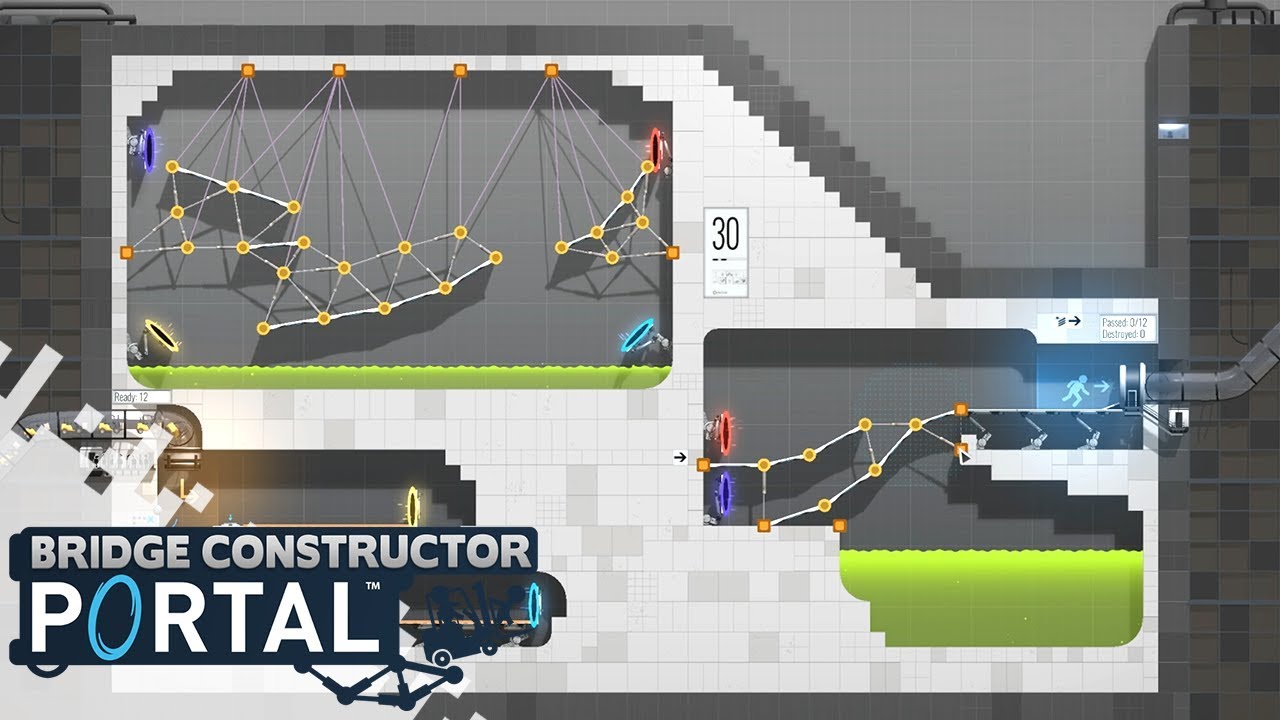
Bridge Constructor Portal is a beginner-friendly engineering sandbox with a playful theme. You build, test, fail, and improve, which is the fun part. The puzzles feel like experiments, not exams. It’s slightly “more than basic,” but still approachable if you like tinkering.
- Platforms:Android, iOS.
- Price:Paid, one-time purchase in many regions (Data as of March 2026).
- Offline Play:Often yes after download, some services may need internet.
- How to Play:Build structures, then test vehicles through obstacles using gadgets.
- Why It’s Perfect for Beginners:Clear objectives and freedom to try again without penalty.
- Pros:Creative problem solving, fun trial and error
- Cons:Harder than simple puzzles, paid upfront
28. Cookie Cats
Cookie Cats is a cheerful match puzzle with a very friendly vibe. The early game is forgiving and the goals are easy to understand. It’s a nice “comfort puzzle” when you want cute and uncomplicated. You can play casually without studying strategy.
- Platforms:Android, iOS.
- Price:Free, ads and optional purchases (Data as of March 2026).
- Offline Play:Often partial, some features may need internet.
- How to Play:Match or connect pieces to clear objectives and progress.
- Why It’s Perfect for Beginners:Soft difficulty curve and clear match feedback.
- Pros:Approachable, easy early progression
- Cons:Ads and offers can interrupt, difficulty can spike
29. Good Sudoku
Good Sudoku is ideal if you want to learn Sudoku properly, not just grind puzzles. It nudges you toward techniques and helps you understand why a move works. For beginners, that guidance is huge because it prevents frustration loops. It also feels thoughtfully designed, not noisy.
- Platforms:iOS (commonly available), Android availability may vary by region and time.
- Price:Free with optional purchases in many regions (Data as of March 2026).
- Offline Play:Often yes for core puzzles after download.
- How to Play:Solve Sudoku with guided hints and technique practice tools.
- Why It’s Perfect for Beginners:It teaches the “why,” not just the answers.
- Pros:Excellent learning support, strong UI
- Cons:Some features behind purchases, platform availability can vary
30. Zenge
Zenge is a quiet, minimal puzzle that feels like assembling fragments of a story. There are no leaderboards screaming for attention, just calm puzzles and atmosphere. It’s beginner-friendly because the mechanics are simple and the pacing is gentle. If you want low friction, this is a strong premium pick.
- Platforms:Android, iOS.
- Price:Paid, one-time purchase in most regions (Data as of March 2026).
- Offline Play:Often yes for core play after download.
- How to Play:Slide and assemble pieces to complete shapes and scenes.
- Why It’s Perfect for Beginners:No timers, no text overload, gentle progression.
- Pros:Very low friction, relaxing aesthetic
- Cons:Paid upfront, shorter experience
Basic Puzzle Games For Mobile That Work Offline (shortlist By Subgenre)
If you play on flights, commutes, or spotty Wi-Fi, this section helps you pick games that are explicitly labeled offline or commonly work offline for core play.
- Classic logic offline: Sudoku.com is listed as offline on Google Play.
- Premium offline calm: Monument Valley and Zenge are labeled offline on Google Play.
- Physics offline fun: Cut the Rope highlights offline play on Google Play.
- Low-reading offline: Nonogram.com and Jigsaw Puzzlesare labeled offline on Google Play.
Takeaway: if offline matters, trust the store label first, then confirm after install with airplane mode.
Basic Puzzle Games For Mobile With Fewer Ads (how To Spot Them Fast)
If ads break your concentration, you want two things: honest labeling and a clean upgrade path.
Fast ways to identify lower-ad experiences:
- Paid once is often calmer: Paid games like Monument Valley, Monument Valley 2, Zenge, Bridge Constructor Portal, and Threes! show “Buy” on Google Play listings (Data as of March 2026).
- Look for “Contains ads”: Google Play surfaces this near the top of listings.
- Use platform protections: Keeping Play Protect enabled adds a safety layer while you’re browsing and installing.
fewer ads usually comes from either paying once or choosing apps with a single, transparent “remove ads” option.
FAQs About Basic Puzzle Games For Mobile
What Are Some Good Mobile Puzzle Games?
If you want truly beginner-friendly, start with Flow Free, Sudoku.com, Wordscapes, or Cut the Rope, then move to premium calm like Monument Valley.
What Are Some Good Puzzle Games On The Phone?
Match-3 (Candy Crush), logic (Sudoku.com, Nonogram.com), spatial (1010!, block puzzles), and relaxed premium puzzles (The Room, Zenge) cover most tastes.
What Are Some Satisfying Puzzle Games For Mobile Or IPad?
Try I Love Hue for visual satisfaction, Jigsaw Puzzles for calm completion, or Monument Valley for a polished “aha” feeling in every level.
What Puzzle Games Can I Play Offline?
Look for “Offline” on the store listing; examples labeled offline on Google Play include Sudoku.com, Cut the Rope, Monument Valley, and Zenge (Data as of March 2026).
What Are The Best Free Puzzle Games For Android?
Good free starters include Flow Free, Wordscapes, Sudoku.com, and Unblock Me. They are easy to learn, widely installed, and offer short sessions.
How Do I Avoid Puzzle Games With Too Many Ads?
Check “Contains ads” before installing, do a 5-level test, and uninstall quickly if ads interrupt your flow more than once or twice.
Are Brain Training Puzzle Games Proven To Prevent Dementia?
Brain training can improve certain skills, but strong evidence that it reduces dementia risk has not been proven (Data as of March 2026).
What Is The Easiest Puzzle Game To Start With?
Flow Free and Unblock Me are great first picks because the rules are obvious and every move gives clear feedback.
What Should I Download If I Like Sudoku But I’m A Beginner?
Start with Sudoku.com for lots of levels and difficulty tiers, or Good Sudoku if you want more guided technique learning.
Do Puzzle Games Need Wi-Fi?
Many don’t for core play, but ads, events, and cloud saves often do. Use airplane mode after install to test what still works.
Are Premium Puzzle Games Worth Paying For?
If you hate ads and want a cleaner experience, yes. Paid games like Monument Valley or The Room can feel calmer because they are not built around interruptions.
What Puzzle Games Are Best For Very Short Sessions?
Try Unblock Me, 1010!, 2048, or Mahjong Solitaire. They start instantly and don’t require story context.
What Are Simple Puzzle Games For Seniors?
Jigsaw Puzzles, Mahjong Solitaire, Word Search, and Sudoku on easy difficulty tend to be readable and calm, especially when you can adjust difficulty.
Are Puzzle Games Good For Kids?
Many are fine, but check age ratings and ad intensity. Puzzle mechanics like matching, sorting, and simple logic can be enjoyable without complex reading.
How Can I Keep My Phone Safer When Downloading Puzzle Apps?
Use official stores, keep Play Protect on for Android, and treat unexpected permission requests as a red flag.
Final Thoughts
If you want the simplest start, pick one: Flow Free (pure logic), Wordscapes (words), or Sudoku.com (classic). If you want fewer interruptions, consider paying once for a calmer experience like Monument Valley or Zenge.
Jump to
30 Basic Puzzle Games For Mobile: Free, Offline & Premium
Basic Puzzle Games For Mobile: What “basic” Really Means
Basic Puzzle Games For Mobile: Pick Your Puzzle Style In 3 Steps
The No-regret Checklist For Basic Puzzle Games For Mobile
30 Basic Puzzle Games For Mobile (organized By “why You’ll Like It”)
Basic Puzzle Games For Mobile That Work Offline (shortlist By Subgenre)
Basic Puzzle Games For Mobile With Fewer Ads (how To Spot Them Fast)
FAQs About Basic Puzzle Games For Mobile
Final Thoughts
Latest Articles
Popular Articles