Crystal Clear Puzzle Games For Focused Play In 2025
Explore crystal clear puzzle games designed with clean visuals, smooth controls, and zero clutter for the best focus and gameplay in 2025.
Mar 25, 2025913 Shares182.6K Views
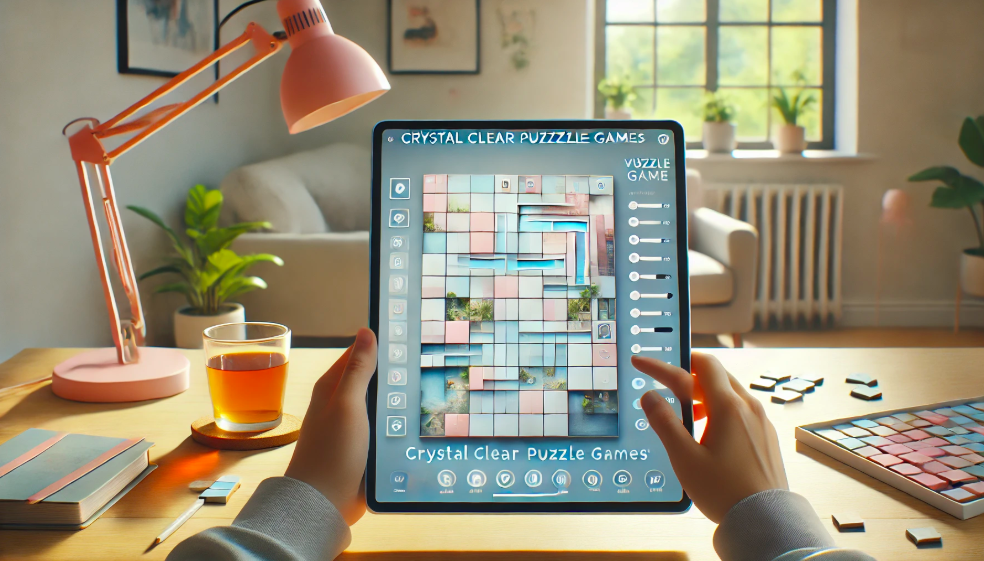
Puzzle games with clear and simple visuals are gaining popularity fast. Players now prefer games that look clean, run smoothly, and feel easy to interact with. Simple layouts and sharp graphics help users stay focused, avoid distractions, and enjoy solving puzzles without visual overload. However, there are challenges in crystal-clear puzzle games, especially when it comes to balancing visual clarity with engaging gameplay mechanics.
Mobile puzzle games, in particular, are leading this shift toward minimal design. According to Newzoo (2023), puzzle games with crisp visuals and smooth interfaces are seeing more downloads and longer play sessions. This shows that players value clarity just as much as gameplay. Clean design also helps reduce eye strain and supports better concentration. As visual simplicity becomes a key trend in modern gaming, crystal-clear puzzle games are setting a new standard for user-friendly play.
What Makes A Puzzle Game “Crystal Clear”?
A crystal-clear puzzle game offers a clean and easy-to-use design that helps players focus on solving puzzles without distraction. This includes smooth graphics, strong contrast between game elements, and simple menus that guide players naturally. Games with high visual clarity reduce confusion and make the puzzle-solving process more enjoyable for all age groups. To ensure success, crystal-clear puzzle strategiesshould be implemented, from effective layout design to ensuring that players can easily navigate through the game without visual obstacles.
Clear visuals, smooth performance, and clutter-free screens allow players to concentrate better and solve puzzles faster. Games like Monument Valleyare praised for their clean layout and relaxing feel. According to UX Design Institute (2023), minimal and well-organized game designs improve usability and make games more engaging. These features make crystal clear puzzle gameseasier to play and more accessible for everyone.
Top Features Of Visually Clean Puzzle Games
Visually clean puzzle games are designed to help players focus by removing distractions and highlighting only what matters. These games are known for their clarity, smooth performance, and user-friendly layouts. The features listed below are often used in top-rated puzzle games and are supported by modern UI/UX design practices. These design features are aligned with crystal-clear puzzle strategies, ensuring that players can enjoy an optimal and immersive experience.
Clean and Readable TypographyGood puzzle games use simple fonts that are easy to read on any screen size. The text should be large enough, well-spaced, and placed clearly in menus or game instructions. This helps users of all ages understand game rules and options without effort. According to Nielsen Norman Group (2022), clear typography improves usability and player satisfaction.
Balanced and Soft Color PalettesA clean puzzle game avoids overly bright or clashing colors. Instead, it uses soft, calming tones that are easy on the eyes. Colors should clearly separate background, puzzle pieces, and interface elements. Games like Kami 2use pastel shades and smart color contrast to support focus and reduce eye strain.
Minimal Visual ClutterOne of the strongest features of a visually clean game is a clutter-free screen. Important elements like the puzzle grid, pieces, and menu buttons should be spaced out and not compete for attention. This allows players to stay engaged without feeling overwhelmed by unnecessary animations or pop-ups.
Responsive and Smooth ControlsControls should be easy to understand and react smoothly to touch or click. Whether dragging a piece or tapping a menu, the game should respond without delay. Responsive gameplay is a key part of clean design because it keeps the experience fluid and relaxing.
Consistent Layout and SpacingPuzzle games with clear layouts follow consistent spacing and alignment. Elements are placed with purpose, so players can easily track their progress. A consistent design flow also makes it easier for first-time users to learn the game quickly, as shown in studies by Interaction Design Foundation (2023).
Best Crystal Clear Puzzle Games To Play In 2025
Crystal-clear puzzle games are designed with simplicity and focus in mind. Their visuals are clean, their controls are smooth, and their interfaces reduce distractions. These games stand out not only for their gameplay but also for how they support concentration and ease of use. By incorporating crystal-clear puzzle strategies, these games achieve clarity and provide a more enjoyable user experience.
1. Monument Valley 2
- Platform:iOS, Android
- Gameplay Type:Logic, Spatial puzzles
- Visual Clarity:Monument Valley 2 is known for its soft pastel colors, calm animations, and minimalist architecture. Every level is designed like an art piece, with no distracting elements. The transitions are smooth, and the path is always clear.
- User Feedback:With a 4.8-star rating on the App Store, users consistently praise its peaceful visuals and emotionally soothing experience. It has been featured multiple times in “Editor’s Choice” by Apple and Google Play.
- Best For:Users who enjoy calm, creative logic puzzles with beautiful and simple visuals.
2. Kami 2
- Platform:iOS, Android
- Gameplay Type:Color-matching, folding logic puzzles
- Visual Clarity:Kami 2 uses an origami-style interface with soft paper textures and soothing colors. The entire layout is free of clutter, and the visual effects are quiet and elegant. Animations for folding and flipping are fluid and easy to follow.
- User Feedback:With over a million downloads and a 4.6-star rating, Kami 2 is praised for being relaxing, visually pleasing, and mentally challenging.
- Best For:Players who enjoy strategy, color matching, and a zen-like puzzle experience.
3. The Room: Old Sins
- Platform:iOS, Android, PC (Steam)
- Gameplay Type:3D logic and object-based puzzles
- Visual Clarity:This game features highly detailed 3D visuals with smooth lighting and textures. Every object is clearly rendered, and controls are highly responsive. It offers clean zoom, rotate, and slide functions that never feel clunky.
- User Feedback:Rated 4.9 stars on Google Play, many players describe it as “visually stunning” and “flawless in presentation.” It’s also praised for its immersive design without overloading the screen.
- Best For:Players who love story-driven puzzle games with realistic and clear visuals.
- Platform:Windows PC, iOS, Android
- Gameplay Type:Classic jigsaw puzzles
- Visual Clarity:Offers high-resolution images that stay sharp even when zoomed in. The workspace is free from clutter, and the pieces are easy to move and snap into place. It also includes sorting trays and background color options for better contrast.
- User Feedback:Over 1 million downloads and highly rated for its clean interface and smooth controls. Many players mention the realistic image quality as a top feature.
- Best For:Puzzle lovers who want a realistic, traditional jigsaw puzzle experience in a digital format.
5. Two Dots
- Platform:iOS, Android
- Gameplay Type:Match-3 with strategic elements
- Visual Clarity:Two Dots is well-known for its clean, flat design with bold colors and well-spaced elements. It avoids busy backgrounds and keeps the screen minimal, even as the gameplay becomes more advanced. Transitions between levels are simple and fluid.
- User Feedback:With over 50 million downloads, users love its polished design and relaxing tone. Reviews often praise the art direction and clutter-free screen.
- Best For:Users who enjoy quick, satisfying puzzle challenges with crystal clear design.
6. Flow Free
- Platform:iOS, Android
- Gameplay Type:Path-connecting logic puzzles
- Visual Clarity:The game features bright, colored paths on a plain black or white grid. Its simplicity makes it easy to focus on the task without any visual noise. Drag controls are smooth and accurate, even on smaller screens.
- User Feedback:Rated 4.7 stars on Google Play, users call it “perfectly simple” and “great for focus.”
- Best For:Players who enjoy clear, fast puzzles with no distractions and instant gameplay.
How Clean Visuals Improve Puzzle-Solving Skills
Clean visuals help the brain perform better during puzzle-solving. When the screen is free of clutter and the design is simple, it becomes easier to focus on shapes, colors, and patterns. Research from Applied Cognitive Psychology (2021) shows that reducing visual distractions improves performance on tasks that require attention and accuracy. Crystal-clear puzzle strategiesinvolve maintaining this focus by keeping visuals clean and simple.
Simple layouts also support working memory, which helps players manage and organize puzzle pieces mentally. According to Dr. Susan Weinschenk, a behavioral psychologist, clean designs reduce mental strain and make it easier to stay focused. This is useful in puzzle games where players often handle multiple pieces or colors at once.
Clear visuals also speed up puzzle-solving. When pieces are easy to see and the contrast between elements is strong, users can make quicker decisions. It becomes easier to spot matches, reduce errors, and complete puzzles faster. Overall, visual clarity leads to better focus, fewer mistakes, and a more enjoyable puzzle experience.
Choosing The Right Device For The Clearest Puzzle Experience
To get the best visual clarity while playing puzzle games, it’s important to choose the right device and set it up properly. The screen’s size, resolution, brightness, and contrast all play a big role in how clearly you can see and interact with puzzle pieces. Whether you're using a smartphone, tablet, or monitor, each has its own strengths for a clear puzzle experience.
Smartphones:Modern smartphones with OLED or AMOLED displays—such as the iPhone 14 or Samsung Galaxy S23—offer sharp colors and high contrast. These screens are good for short puzzle sessions and games with simple visuals. To improve clarity, turn off auto-brightness and manually adjust the screen to a moderate brightness level. Also, use “dark mode” if it helps puzzle elements stand out better.
Tablets:Tablets like the iPad Pro or Samsung Galaxy Tab S8 are excellent for puzzles because they provide a larger screen with great resolution. This extra space makes it easier to move pieces and view details without zooming too much. Tablets also support stylus input, which adds accuracy in some puzzle apps. Experts from DisplayMate Technologieshighlight that tablets with higher refresh rates (90Hz or above) offer smoother animations, reducing visual strain.
Monitors (for desktop puzzle games):For desktop users, a 24–27 inch monitor with 1080p or 4K resolution provides the best clarity. IPS panels are recommended for better color accuracy and wider viewing angles. Monitors like the Dell UltraSharp or ASUS ProArt series are popular among users who want clean and vivid displays. Keep contrast settings high enough to separate puzzle elements clearly from the background.
Tips for Optimal Settings:
- Brightness:Keep it between 50%–70% for comfort and visibility.
- Contrast:Adjust it to highlight puzzle edges and patterns without fading colors.
- Resolution:Use the highest supported resolution for sharper visuals.
- Anti-glare mode:If available, turn it on to reduce reflections and eye strain.
FAQs For “Crystal Clear Puzzle Games”
What Are Crystal Clear Puzzle Games?
Crystal clear puzzle games are visually clean games with sharp graphics, smooth layouts, and minimal screen clutter. They help players focus better and solve puzzles faster. According to the UX Design Institute (2023), games with simple visuals improve usability and reduce mental load during gameplay.
How Do Clean Visuals Affect Puzzle-solving Performance?
Clean visuals help the brain focus better during puzzle-solving. They make it easier to see patterns, reduce mistakes, and improve speed. Research in Applied Cognitive Psychology(2021) shows that simple, clear designs support better attention and task accuracy.
Which Platforms Offer The Best Crystal-clear Puzzle Games?
Mobile platforms like iOS and Android offer some of the best crystal-clear puzzle games due to high-resolution displays and smooth touch controls. Tablets provide larger screens, which improve clarity and comfort. According to Pocket Gamer (2024), games on these platforms are often designed with minimal layouts that enhance focus and visual quality.
Are There Free Puzzle Games With High Visual Clarity?
Yes, there are free puzzle games with high visual clarity. Games like Flow Free, Two Dots, and Jigsaw Puzzles HD offer clean designs and smooth performance. According to Android Authority (2023), many free puzzle apps now focus on simple layouts and sharp visuals to improve user experience.
Do Crystal Clear Visuals Improve Focus In Puzzle Games?
Yes, crystal clear visuals improve focus in puzzle games by helping the brain process information faster. According to Human–Computer InteractionJournal (2022), clean visuals reduce cognitive overload, making it easier to concentrate and solve puzzles more efficiently.
Latest Articles
Popular Articles